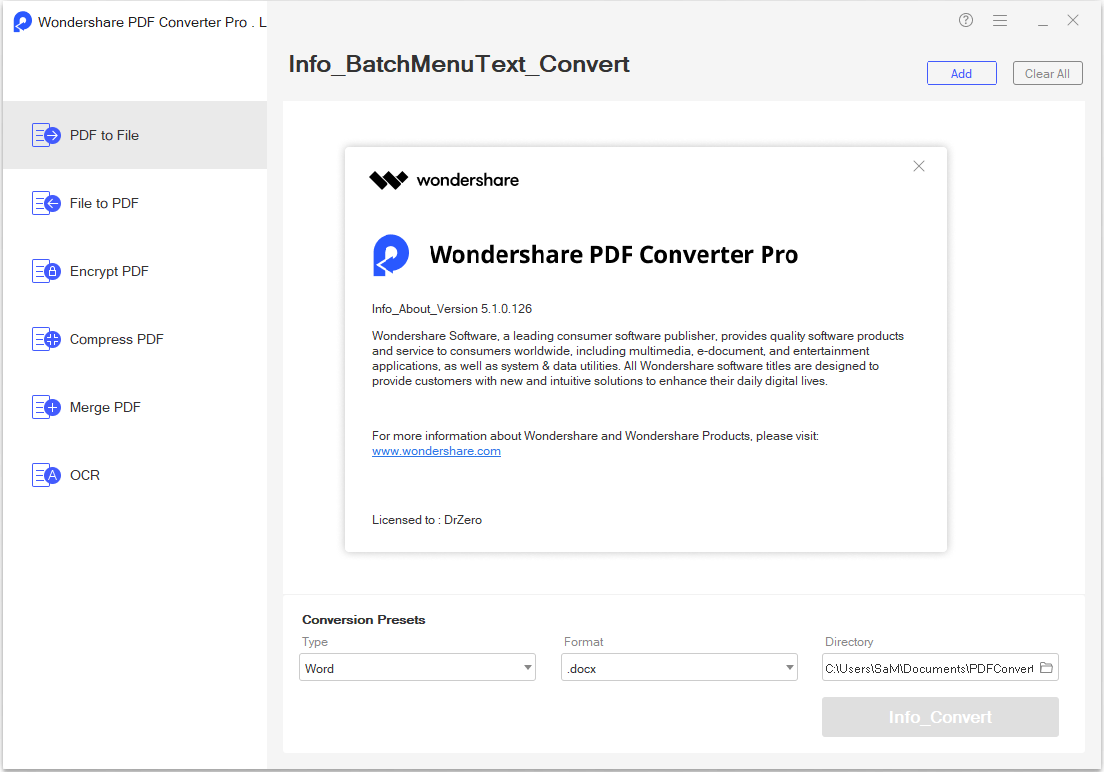
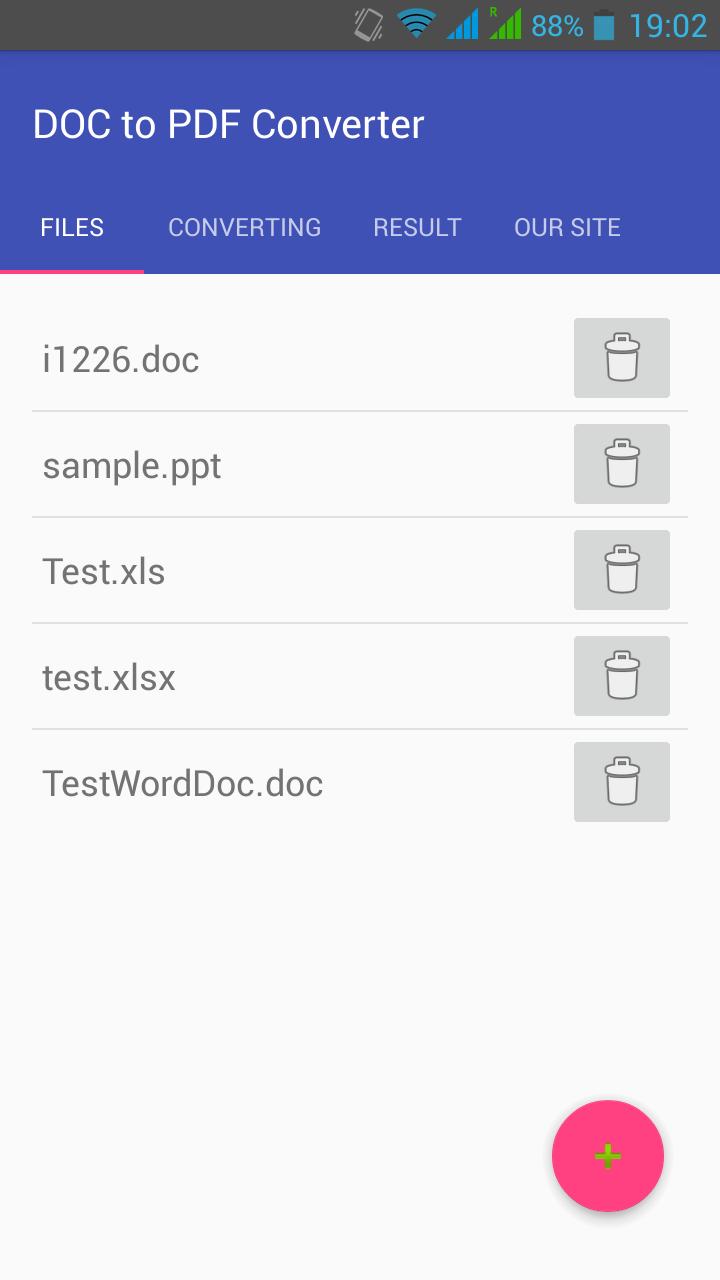
Tampilkan postingan dengan label converter. Tampilkan semua postingan

Pdf To Xml Converter Adobe

Pdf To Xml Converter Adobe

I just need to automatically convert the incoming pdf files to. We do not want to rebuild the pdf from scratch if possible.
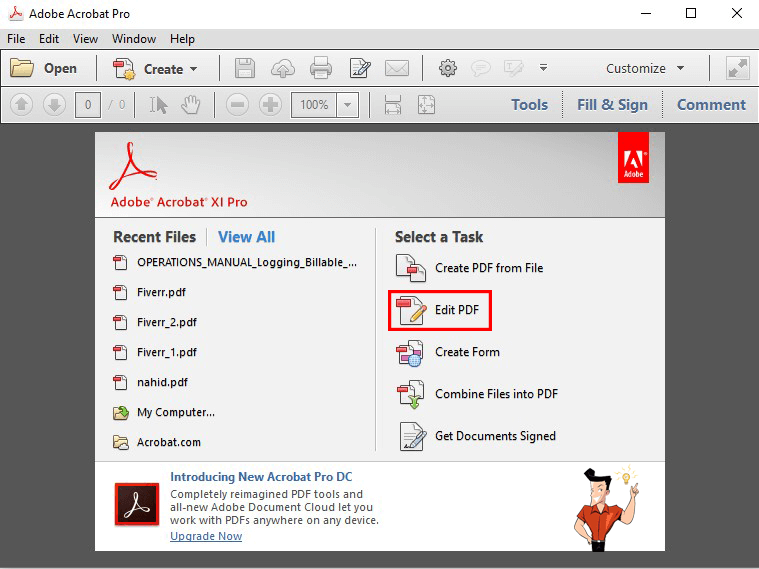


How To Convert Pdf To Word With Adobe Acrobat Pro - Renee Laboratory

If you need just a part of the pdf file in another format, you don’t need to convert the entire file and then extract the relevant content.

Pdf to xml converter adobe. It’s a coding language similar to html. Edit pdf files on the go. Sometimes adobe could not extract images (inline images) in a table.

But unlike html, xml is a versatile language that goes beyond the web. The acrobat functionality transfers your pdf data and content right into an excel spreadsheet, where you can edit the rows and columns. Resulting document is compatible with xml 1.0 and higher.

Docx, doc, xlsx, rtf, xml, html, or csv. Save the file then you should be able to insert back into a pdf document. Convert your pdf to extensible markup language by following these easy steps.

The xml form pdf is big (1.5 mb) because each word is a seperate object. Ad upload, edit & sign pdf forms online. It is also very easy as one just needs to drag and drop a document to convert it into a specific output.

In late 2006, adobe labs introduced their own xml vocabulary for pdf: This obviates the need to introduce any contending alternate xml vocabulary. This pdf to xml converter works on os x 10.3 and later oss.

Ad upload, edit & sign pdf forms online. Xml stands for extensible markup language. Intelligent algorithm of parsing pdf format provides high performance of the conversion process.

I got 2 questions on pdf to xml conversion: We delete uploaded pdf files instantly and converted xml files after 24 hours. The doxillion converter is a pdf to xml mac converter tool that boasts features such as converting between many different formats, including html, wps, pdf, doc, and txt, among others.

Ad save time editing pdf documents online. The portable document format (pdf) is a file format used to present documents in a manner independent of application software, hardware, and operating systems. Convert pdf format to xml format.

Hi all, i asked a question in acrobat sdk forum about using acrobat standard sdk for automatic pdf to xml conversion on a server and i was told that acrobat lisence does not permit that and i need to use the adobe livecycle es. You can select text in a pdf file and save it in one of the supported formats: Below that click on the page icon and in the drop down menu choose extract pages.

Only experts and developers etc should apply and must be able to demonstrate the conversion of few pages on how it will be done. Ad save time editing pdf documents online. Like the button icon below.

For areas where pdf exceeds svg, adobe has. Pdfdatanet is software designed to extract data from pdf documents, such as purchase orders, invoices, remittance advice & pay slips and then convert that in. The portable document format (pdf) is a file format used to present documents independent of application software, hardware, and operating systems.

Open the file then click on page thumbnails in the left column. Just drop your pdf files on the page to convert xml or you can convert it to more than 250 different file formats without registration, giving an email or watermark. To extract tables from a pdf, i think adobe is currently using the 'stream' method by default which may not identify a cell's colspan and rowspan (a cell of a table may span.

Command line support allows to script, automate and schedule the conversion process. Online and free pdf to xml converter. Edit pdf files on the go.

Instead of graphic command streams, mars uses svg. I am currently using dynamicpdf merger for.net to fill out the fields in an xml form produced by adobe designer (pdf version 1.6 acrobat 7). I was able to open the xml form file in adobe acrobat pro dc, extract the file, then insert it back into my pdf document.

Pdf To Png Converter Zamzar

Pdf To Png Converter Zamzar

Download your 60mb file with this plan. It also comes with many other features like compressing large files, splitting and creating pdf files, along with adding and removing passwords from pdf files.


Zamzarcom Converter File Online Pembicara Internet Marketing Seo Konsultan Training Pelatihan Seo

Convert png to pdf with zamzar.

Pdf to png converter zamzar. As of the moment, it has converted half a billion files ever since 2006. Below we have listed an example to convert a png file to pdf using php.we also support a variety of other programming languages. Zamzar went above simply technical support in assisting me with a difficult conversion from a pdf to a dwg.

May 6, 2010 at 2:50 pm. Convert nef files to jpg, pdf, png, tiff and more by the zamzar team november 21, 2013 april 12, 2019 leave a comment we’re always looking to add new conversions to our list of available formats and we can now add nef to that list. Ad save time converting pdf to editable online.

They were timely in their responses and extremely helpful. The png to pdf converter shows you a brief description of what the two file formats are. Here are the steps to use.

Click the upload files button and select up to 20 pdf files you wish to convert. This free online pdf converter allows you to save a pdf document as a set of separate png images, ensuring better image quality and size than any other pdf to image converters. Zamzar sort of blows my mind.

It has a very cool interface. Convert pdf to jpg, pdf to png, pdf to tiff, pdf to gif and more ! Wait for the conversion process to finish.

Ad save time converting pdf to editable online. Zamzar offers a simple file conversion api to convert files from your applications with support for 100's of formats. Previous entry convert emf files to bmp, gif, jpg, pdf, png, tiff and more.

If you want to convert your png files to pdf, you can use an online conversion tool like zamzar. It makes so much more sense to have a web service to take care of this process.

Pdf To Png Converter Smallpdf

Pdf To Png Converter Smallpdf

No limit in file size, no registration, no watermark. We guarantee file security and privacy.


Ruby On Twitter Instructional Design Educational Tools Business Blog

Convert jpg to word online for free.

Pdf to png converter smallpdf. Smallpdf accepts a large variety of image files, including jpg, gif, png, bmp, and tiff. How to convert pdf to jpg online: Drag and drop your file to our pdf to excel converter.

No registration or download is. To convert images to text in pdf format, follow the following instructions: Click the upload files button and select up to 20 pdf files you wish to convert.

Besides png, this tool supports conversion of jpg, bmp, gif, and tiff images. Online jpg to word converter to save images to word docs for free. Access the smallpdf image to text converter.

Click on choose option and wait for the. You can also upload files via the link. It also comes with many other features like compressing large files, splitting and creating pdf files, along with adding and.

How to convert jpg to pdf. No registration or download is. How to convert pdf to png online.

Our pdf to png converter is free and works on any web browser. Free online service to convert a pdf file to a set of optimized jpg images. Download the converted file to your computer.

Being one of the most popular online png to pdf converter, smallpdf converts the images, documents, ppt and excel sheets to the pdf documents. When the status change to “done” click the “download png” button; Png (portable network graphics) are bitmap images, which are essentially the very raw form of your pictures (the ones taken with a digital camera).

Then click the convert button and wait for the conversion. Remember to download your file. Drag and drop your file in the pdf to jpg converter.

Convert png images to pdf format with smallpdf’s free image converter. If the file is a scan, ocr will activate automatically. Click the upload files button and select up to 20 pdf files you wish to convert.

Click on ‘choose option’ and wait for the process to complete. Convert png images to pdf format with smallpdf’s free image converter. How to convert pdf to excel online:

How to convert jpg to pdf. This free online png to pdf converter allows to combine multiple images into a single pdf document. Download the converted files as single jpg files, or collectively in a zip file.

Convert jpg to word online for free. Easily combine multiple png images into a single pdf file to catalog and share with others. Join 25+ million monthly users today;

2 after uploading, you can edit the list of pdf files by adding or removing them. Join 40+ million monthly users today; One of the unique things about this online png to pdf converter is that you can also upload the files from the dropbox or the google drive which is very useful for the chrome users

Select ‘convert entire pages’ or ‘extract single images’. Click choose file in the toolbox above. Online jpg to word converter to save images to word docs for free.

Our pdf to png converter is free. Ad save time converting pdf to editable online. Drag and drop your file in the pdf to jpg converter.

You first convert the png to the portable document format (pdf) and then save it again to a jpg. We will then convert your image to text in a heartbeat. Ad save time converting pdf to editable online.

This free online pdf converter allows you to save a pdf document as a set of separate png images, ensuring better image quality and size than any other pdf to image converters. Other image formats, such as bmp, tiff, gif, and jpg are also accepted. Plus, you can batch convert pdf to png.

Best way to convert your pdf to psd file in seconds. Other image formats such as bmp, tiff, gif, and jpg are also accepted. Other image formats, such as bmp, tiff, gif, and jpg are also accepted.

Wait for smallpdf to reconstruct the file to excel format. Each sheet of pdf document was converted to. The best compression algorithm online smallpdf is an expert to many things, but our first core function was file compression (with our aptly titled name).

1 to start the conversion, upload pdf files to the site from a computer or file storage. Download the converted files as single jpg files, or collectively in a zip file. Click on ‘choose option’ and wait for the process to complete.

Select ‘convert entire pages’ or ‘extract single images’. Wait for the conversion process to finish. How to convert pdf to jpg online:

3 now your png images are ready! Convert png images to pdf format with smallpdf’s free image converter. Click the “convert to png” button to start the conversion.

Pdf To Tiff Converter C#

Call converter.convert method and pass the full path and format (tif) as parameter. You may also use the following command from the package.


Aspose Pdf Converter Ironpdf

For example if i have a tif document image that contains 5 pages, i would want to press a button and convert all those 5 tif.

Pdf to tiff converter c#. It is offered by a fine c#.net images and documents conversion toolkit whose way of processing is simple and fast. Steps to convert pdf to tif in c#. Using this.net pdf to tiff conversion control, c# developers can render and convert pdf document to tiff image file with no loss in original file quality.

The good news is i can convert one of the tif pages that is currently displayed in the picturebox. Also this version of converter can be used from the command line. Of course c#.net does not have the functions, but there should be way to do it.

C# developers can render and convert pdf document to tiff image file with no loss in original file quality. .net pdf to tiff tutorial. You can upload multiple pdf files at once, each up to 50mb in size.

Remember to check its free trial package first if possible. You can either convert individual pdf pages to tiff images, or convert the whole pdf to single tiff image. Create an instance of converter class and load the pdf file with full path.

So this solution only works for generating color tiff files. Create an object of the document class.; How to convert tiff to pdf using c#.

Convert a pdf document to multipage tiff and tiff images in c# (.net core) example. The problem is when i have a tif document that has more than 1 page, i cannot convert them all into on single pdf file. But the issue is with extracting a image/bitmap from pdf.

Rasteredge is dedicated to offering professional software for document and image conversion that enables c#.net programmers to transform and convert other file formats to tiff image/document directly and rapidly. I have figured out the tiff creation part. Create an instance of converter class and load the pdf file with full path.

You can also google it and select one to help you with the related work. Convert pdf to tiff image in csharp or visual basic.net using bytescout pdf renderer sdk. Create & set convertoptions for the tiff type.

C#.net tiff imaging converting sdk, rasteredge xdoc.tiff for.net, can easily convert pdf. // the output image will be rendered to grayscale image. //copy x86 and x64 folders from download package to.

Another way to convert pdf to tiff using c#, is to use page.draw() to create a bitmap for each page, and then use standard.net methods to write these to a tiff file. To set the output file’s properties, use the tiffsettings class.; Click on upload files, then select up to 20 pdfs that you wish to convert into tiff files.

Convert pdf pages to one tiff image. Create & set convertoptions for the tif type. Using iditect c#.net pdf text extracting library package, you can easily extract all or partial text content from target pdf document file, edit selected text content, and.

The converted tiff image's dpi and size can be modified by developers programmatically. Aspose.pdf for.net explain how to convert all pages in a pdf file to a single tiff image: Call converter.convert method and pass the full path and format (tiff) as.

Open nuget package manager, search for aspose.imaging and install. Convert a pdf document to multipage tiff and tiff images in c# (.net core) example. The following code snippet shows how to convert all the pdf pages to a single tiff image.

I have ever tried to convert pdf files to tiff images with the help of another pdf to tiff converter for c#.net. Ad save time converting pdf to editable online. Ad save time converting pdf to editable online.

There are two issue with this though:.net does not support creating a graphics instance for a monochrome bitmap. This online tool lets you convert pdf documents into multipage tiff files completely for free. Xspdf c#.net pdf to tiff converting library is a multifunctional pdf document conversion tool, which can perform pdf document to a group of high quality single page tif images in.net develop environment using c# programming language.

Call the process method to convert the document.; All the pages in a pdf file will be rasterized and then combined into a single tiff file. Aspose.pdf for.net can be used to convert pdf to tiff in c#.

Convert pdf to tiff in c#. Groupdocs.conversion makes it easy for developers to convert the pdf file to tiff using a few lines of code. (only $550.00) total pdf converterx can convert pdf to tiff in c#.

Groupdocs.conversion makes it easy for developers to convert the pdf file to tif using a few lines of code. Steps to convert pdf to tiff in c#. // create a pdf converter object from pdf file in the disk pdfimageconverter pdfconverter = new pdfimageconverter(sample.pdf);

Like converting a single page tiff to pdf, transforming tiff/tif with multiple pages to pdf document is also very simple to accomplish in your c#.net application. // set the dpi, the output image will be rendered in such resolution pdfconverter.dpi = 96;

Psd To Pdf Converter Software Free Download

Psd To Pdf Converter Software Free Download

100% free, secure and easy to use! Ad instantly use online pdf editor in chrome.


Pin On Softwares

Trusted windows (pc) download psd to pdf converter software 7.0.

Psd to pdf converter software free download. Browse psd file from stored location and click on “ok” Install the program after the download process. Guide to export psd to adobe pdf.

Psd to pdf converter software lies within photo & graphics tools, more precisely converters. Aostsoft psd to pdf converter is useful software designed to convert psd photo files to pdf documents with preserving the original text, tables, image, and layout of your psd image. By convert pdf to word software convert pdf to wmf psd jpeg is a powerful converter that lets you convert pdf files into a wide variety of image formats including wmf, psd an jpeg.

Click the “choose files” button to select your psd files. Click on “open” option to load files in the software step 3: Convertio — advanced online tool that solving any problems with any files.

It also allows the conversion of images to several formats and runs on mac and windows. This free conversion is based on aspose.psd for.net, which is a fast api for psd conversions and psd document manipulation.you can use it in your own apps and integrate document conversion in your c#.net projects. Go to the download page of gimp.

Install, run the software and select psd files with dual options. When the status change to “done” click the “download pdf” button; Click the “convert to pdf” button to start the conversion.

Best way to convert your pdf to psd file in seconds. Pdffiller allows users to edit, sign, fill and share all type of documents online. With this, you can easily add captions or watermarks to your images for protection purposes as well as rotate, resize and compress digital photos.

Pdffiller allows users to edit, sign, fill and share all type of documents online. Click convert to convert your psd file. Drag & drop your psd file or click inside the white area to choose a file.

How to convert psd to pdf? Using these free software, you can convert a file in portable document format (pdf) to adobe photoshop document format. Online and free psd to pdf converter.

Free download and open adobe psd converter to transfer psd file step 2: Batch gif2pdf converter tool combine merge join large scan, image, screenshot, snapshot and photo to single or multi page pdfs document. In these, you can simply import a pdf document and then convert its format to a psd image.

Ad save time editing documents with pdffiller. Psd to pdf converter softw.exe. Select saving and conversion option and choose conversion file format.

Choose the psd file that you want to convert. Besides psd, you can convert pdf to a lot more other formats including jpeg, png, gif, ps, eps, tga, svg, ico, webp, bmp, tiff, and more. Convert psd file to pdf.

Select novapdf 8 at that point. Start 30 days free trial! Select pdf as the the format you want to convert your psd file to.

When psd to pdf conversion. Commonly, this program's installer has the following filename: Get psd to pdf converter software alternative downloads.

Integrate psd to pdf conversion in your own projects. Then go to the file tab and choose print. We use both open source and custom software.

Start 30 days free trial! You can customize the settings by clicking perferences. Just drop your psd files on the page to convert pdf or you can convert it to more than 250 different file formats without registration, giving an email or watermark.

Now choose the destination path to save resultant data at users choose. First, you need to add a file for conversion: Our software library provides a free download of psd to pdf converter software 7.0.

Convert graphics to pdf software converting multiple gif images into adobe acrobat. Ad save time editing documents with pdffiller. Ad instantly use online pdf editor in chrome.

Pixillion image converter software can be used as a psd to png converter.

Pub To Pdf Converter Apk

Download the pdf to your device, or export it to dropbox or google drive. Supports more than 300+ pdf conversions.


5 Best Free Epub To Pdf App For Android

All tools are designed to work on any operating system.

Pub to pdf converter apk. Ad save time editing documents. Why should you convert from epub to pdf? The.pub file extension is the file extension used by the microsoft publisher application which forms part of the microsoft office product set.

The pub file format is also known as a publisher document as it is a document that has been created using microsoft publisher. Compress, edit or modify the output file, if necessary. Ad save time editing documents.

Edit pdf files on the go. The tool will instantly upload and transform the file into a pdf. The portable document format (pdf) is a file format used to present documents in a manner independent of application software, hardware, and operating systems.

This is why our free pub to pdf converter tool can be used on any browser and device. Ad save time converting pdf to editable online. Ini adalah aplikasi untuk mengkonversi pub untuk pdf online dari mac os, linux, android, ios, dan di mana saja.

When the status change to “done” click the “download pdf” button; ️ make professional pdf documents from your cover letters, certificates, portfolios and other documents when applying for a job. How to convert pub to pdf?

Plus, you can also batch convert pdf files. After six hours we delete files from the servers. Convert documents and images to pdf with this free online pdf converter.

All using a single web tool! This pdf converter is 100% free. This page explains how you can easily convert a.apk file to a pdf using free and easy to use tools from pdf24.

First, you choose a word docx, doc or rtf file on your android phone, choose either linux server or windows server to convert your file (different server uses different conversion engine) , then tap the convert now button to upload your files to. Our pub to pdf converter is a quick and easy online tool to use. The simplicity and amazing conversion quality make this app the ultimate file converter for your phone.

We use both open source and custom software to make sure our conversions are of the highest quality. Microsoft publisher is a widely used application as it enables users to create their own leaflets, brochures, newsletters and posters. Click the “choose files” button to select your pub files.

️ immediately manage reports, projects, invoices, and other documentation while on a. Free epub to pdf converter is a free pdf converter software to batch convert epub, doc, docx, djvu, mobi, chm, rtf, html and txt to pdf document. Upload your document and convert to pdf instantly.

Convert files of any size and download the converted file directly on the website. So programs, such as able2extract can help you in exporting ms publisher documents (.pub) from pdf documents (.pdf).this will of course only work on pdfs that were made in publisher. Upload, edit & sign pdf documents online.

Dropbox, google drive and onedrive. Meet free pdf converter that enables you to convert to pdf format and vice versa. With a single click, you can turn your favorite.

Anda dapat bekerja dengannya tanpa menginstal perangkat lunak tambahan. A pdf creator and a pdf converter makes the conversion possible. The methods to create pdf files explained here are free and easy to use.

How to convert to pdf from other file types: Ad save time converting pdf to editable online. Click the “convert to pdf” button to start the conversion.

While converting to pdf (word to pdf, jpg to pdf, epub to pdf, etc.) you can merge all files into a single pdf, as well as use various output file settings. Download pdf converter app for android. Upload your file to our online pdf converter.

It works on any web browser. You can find various pdf tools that should be capable of recovering the original documents and saving them in their original format. The file type is typically used for amateur publishing with professionals opting for higher end file types.

Upload, edit & sign pdf documents online. Epub files and many other ebook file formats can only be read on an ebook reader or with special software. Convert any file to pdf or convert from pdf to other formats.

You can convert pdf to doc, jpg and other formats. Edit pdf files on the go. It allows you to convert all pub files within seconds and without any lags!.

There are a many reasons why you might want to turn your ebooks into pdf documents. Pdfs, on the other hand, can be opened by many browsers and programs or apps you already have on your phone or. You can even take a screenshot of a website by providing us the url and convert html to pdf.

Click upload button to select a publisher file from your computer, or click on one of three cloud storage options: Images, photos, pictures, text converted easily. A.pub file can contain images, graphics, formatted text and other objects.

The pdf24 creator installs for you a virtual pdf printer so that you can print your.apk file on that printer in order to convert your file. Publisher untuk pdf converter memiliki antarmuka yang sangat sederhana dan konversi akan memakan waktu hanya beberapa detik. Easy and fast converting to pdf.